
Website to Android App Using WebView – A Complete Guide
Dive deep into the world of Android WebView, the technology that powers the conversion of websites into mobile apps. Understand its strengths, weaknesses, and how to leverage it effectively.
An Android WebView is a component that allows you to display web content directly inside your native Android application. Think of it as a dedicated, chromeless browser window that's embedded within your app's layout.
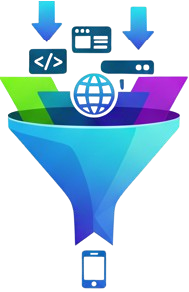
When you convert a website to an app using a service like ConverticoApp, the core technology used is a highly optimized and configured WebView. It loads your website URL and presents it to the user, making it feel like a native application. This is why it's such a powerful and popular method for getting on the Play Store quickly.
Advantages
- Speed & Cost-Effectiveness: It's the fastest and most affordable way to get your business onto the Google Play Store.
- Single Codebase: No need to manage separate code for your website and mobile app. Update your website, and your app updates automatically.
- Full Access to Web Tech: Your app can use any technology that works on the modern web, including HTML, CSS, JavaScript, and frameworks like React or Vue.
- Rapid Deployment: Go from a URL to a downloadable app file (APK/AAB) in minutes, not months.
Disadvantages
- Performance Dependency: App performance is tied to your website's loading speed and optimization.
- Limited Native API Access: Accessing deep hardware features like the accelerometer or complex background tasks can be challenging without native code.
- Potential for Rejection: If your website is not mobile-friendly or appears to be just a simple website wrapper, Google Play may reject it. Your site must provide a good, app-like user experience.
The ConverticoApp Advantage
Building a high-quality WebView app involves more than just loading a URL. It requires careful configuration for performance, security, and user experience. That's what we handle for you.
We automatically configure your WebView with push notifications, offline handling, Play Store compliance, and more, saving you from the complex native Android development work.